
Screen Pen is an on-screen marker / highlighter that enables users to add life to their presentations. This program comes with extremely basic controls for which no expertise is required. It supports all Windows operating systems and requires few kbs of hard drive space.
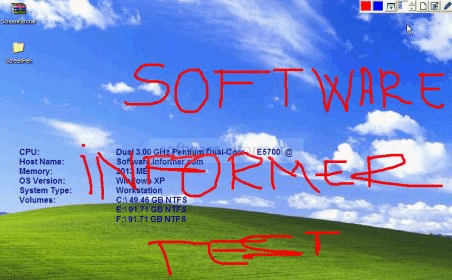
Screen Pen has various shortcut keys to activate its features. On activation, this program provides users with an on-screen pen which can be used to highlight any portion of the screen. Users can draw images or even magnify any part of the document during presentations. This program provides a virtual marker by which users can mark or point text and images in Powerpoint, Excel, PDF or any other file type used for presentations. Users are provided with a variety of customization options through which they can modify their on-screen marker. Users can choice among various colour configurations for the highlighter through a palette; also, it provides shortcut keys for four standard colours. This program is compatible with all ranges of systems and it consumes almost no system resources. The program has no control panel; you can access its functions only through shortcut keys which can be viewed on launch or through the quick help option. This program comes with a documentation file which can be very helpful for users in learning all the functionality related to their presentations.






Comments